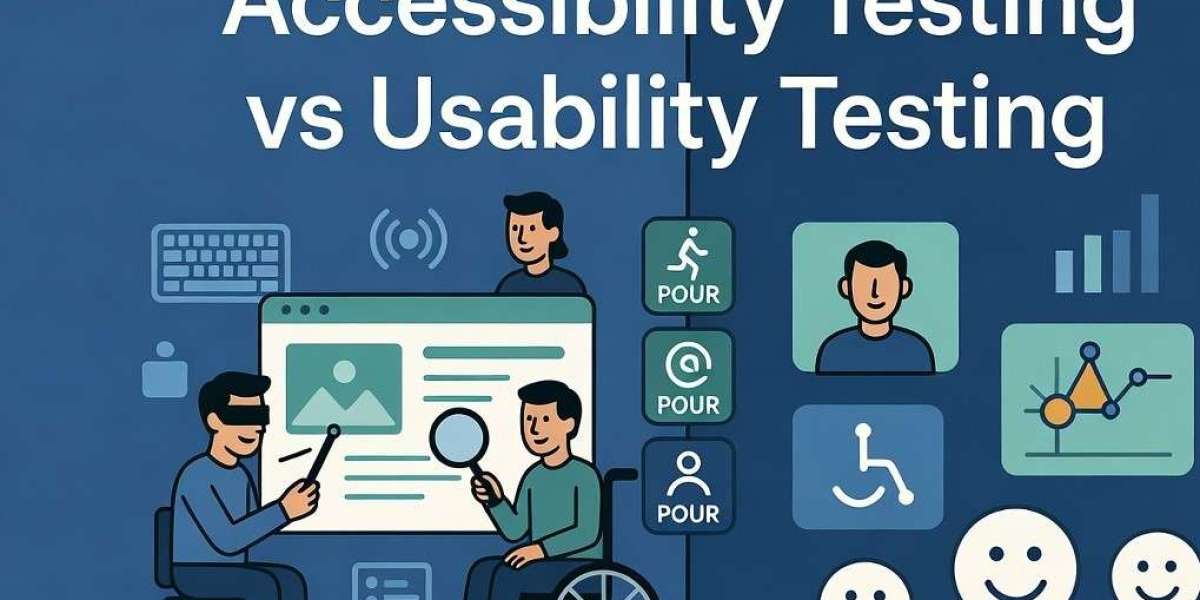

Accessibility Testing is a specialized quality assurance process that evaluates whether websites, mobile applications, and other digital products are usable by people with various disabilities. It ensures that digital interfaces do not create barriers for individuals with visual, auditory, motor, cognitive, or neurological impairments.
Understanding Disabilities in the Digital Context
Disabilities can be permanent, temporary, or situational. For example:
- Visual impairments: Blindness, low vision, or color blindness.
- Hearing impairments: Deafness or hard of hearing.
- Motor disabilities: Limited hand movement, tremors, or inability to use a mouse.
- Cognitive disabilities: Learning disorders, memory issues, or attention deficits.
- Temporary disabilities: A broken arm, bright sunlight glare, or noisy environment.
According to the World Health Organization, approximately 1.3 billion people worldwide — about 16% of the global population — experience significant disability. This number continues to grow due to aging populations and rising non-communicable diseases.
Core Principles of Accessibility (POUR)
Accessibility Testing is guided by four main principles defined in WCAG (Web Content Accessibility Guidelines):
- Perceivable: Information must be presentable in ways users can perceive (e.g., text alternatives for images).
- Operable: Interface components must be navigable and usable (e.g., keyboard accessibility).
- Understandable: Content and navigation must be clear and predictable.
- Robust: Content must work with current and future assistive technologies.
The most widely adopted standard is WCAG 2.2 Level AA, which includes 86 success criteria. Many organizations also target WCAG 2.1 as a baseline for legal compliance.
Key Elements Checked in Accessibility Testing
- Screen reader compatibility (JAWS, NVDA, VoiceOver, TalkBack)
- Full keyboard navigation and focus management
- Sufficient color contrast (minimum 4.5:1 ratio)
- Alternative text for images and media
- Closed captions and transcripts for videos and audio
- Proper heading structure and semantic HTML
- Form labels and error identification
- Touch targets and gesture support in mobile apps
- Avoidance of flashing content that can trigger seizures
Effective testing combines automated tools with manual expert reviews and, ideally, testing with real users who have disabilities.
Why Has Accessibility Testing Become So Critical in 2026?
1. Massive Untapped Market
With 1.3 billion people living with disabilities globally, businesses that ignore accessibility are excluding a huge customer segment. In the United States alone, more than 1 in 4 adults has a disability. Research consistently shows that users with disabilities abandon inaccessible websites at high rates — often over 70%.
Making digital products accessible not only includes this audience but also benefits everyone. Features like captions help users in noisy environments, while keyboard navigation benefits power users and those with temporary injuries.
2. Escalating Legal and Regulatory Risks
The legal landscape has become significantly stricter:
- In the United States, over 5,000 ADA (Americans with Disabilities Act) website accessibility lawsuits were filed in 2025, showing a clear upward trend.
- Many cases result in expensive settlements, legal fees, and court-mandated fixes.
- Europe’s European Accessibility Act (EAA) is now in full effect, requiring accessibility across digital products and services.
- In India, the Rights of Persons with Disabilities (RPwD) Act and guidelines from the Ministry of Electronics and Information Technology (MeitY) are pushing organizations toward compliance.
Governments, banks, e-commerce platforms, and educational institutions face the highest risk. A single successful lawsuit can cost hundreds of thousands of dollars, not to mention the damage to brand reputation.
3. Strong Business and Financial Benefits
Studies reveal multiple advantages of investing in accessibility:
- Improved SEO: Search engines like Google reward accessible websites with better rankings.
- Higher Conversion Rates: Accessible e-commerce sites can see conversion improvements of up to 15%.
- Reduced Maintenance Costs: Clean, semantic code is easier to maintain and update.
- Enhanced Brand Reputation: Companies known for inclusivity attract loyal customers and positive media attention.
- Innovation Driver: Designing for accessibility often leads to better overall user experience and creative solutions.
One famous case showed a major financial services company achieving a 25% increase in organic search traffic after implementing accessibility improvements.
4. Changing User Expectations and Technology Trends
Modern users expect seamless experiences across devices. With the rise of AI-powered interfaces, voice assistants, dynamic content, and progressive web apps, new accessibility challenges continue to emerge. WCAG 2.2 addresses many of these modern issues, particularly for mobile and cognitive accessibility.
Additionally, as remote work, online education, and digital services expand, the demand for inclusive design has never been higher.
Common Accessibility Barriers Found on Websites
Despite growing awareness, most websites still have significant issues:
- Missing or poor alternative text for images
- Low color contrast
- Inaccessible forms
- Missing ARIA landmarks and roles
- Auto-playing media without controls
- Complex navigation without proper structure
According to the WebAIM Million report (2026), over 95% of homepages have detectable WCAG failures, with an average of 56 errors per page. The most common problems remain consistent year after year: low contrast, missing image alt text, and empty links.
How to Conduct Effective Accessibility Testing
A robust accessibility testing strategy should include several layers:
Step 1: Automated Testing
Use tools such as:
- axe DevTools
- WAVE
- Google Lighthouse
- IBM Equal Access Accessibility Checker
These tools quickly identify many technical issues but cannot catch everything.
Step 2: Manual Expert Testing
Human testers check:
- Logical reading order with screen readers
- Keyboard operability
- Real-world usability
- Cognitive load and clarity
Step 3: User Testing with Disabled Individuals
This provides the most valuable insights. Nothing replaces feedback from actual users with disabilities.
Step 4: Continuous Monitoring
Accessibility should not be a one-time activity. Implement regular audits, especially after major updates or new feature releases.
Popular Tools and Frameworks
- Development Phase: axe-core, eslint-plugin-jsx-a11y
- Testing Phase: BrowserStack Accessibility,Deque aXe, Tenon
- Mobile: Android Accessibility Scanner, iOS Accessibility Inspector
Professional accessibility testing service providers like SDET Tech offer end-to-end solutions, including WCAG audits, remediation support, training, and ongoing compliance monitoring.
For expert accessibility testing services tailored to your needs, visit: https://sdettech.com/accessibility-testing
Implementing Accessibility: Best Practices for Organizations
- Start Early: Integrate accessibility into the design phase (Shift-Left approach).
- Train Your Team: Developers, designers, content writers, and QA engineers should understand basic accessibility principles.
- Create an Accessibility Policy: Define clear goals, standards, and responsibilities.
- Use Inclusive Design Methods: Involve diverse users during the design process.
- Document and Remediate: Maintain detailed reports and fix issues based on priority (critical, serious, moderate).
- Monitor Compliance: Use dashboards and automated scanning tools for continuous oversight.
The Future of Accessibility Testing
Looking ahead, accessibility will become even more integrated with emerging technologies:
- AI-assisted accessibility testing tools
- Automated captioning and image description generation
- Greater focus on cognitive accessibility
- Integration with design systems
- Stricter global regulations
Organizations that treat accessibility as a core part of their digital strategy will gain a significant competitive advantage.
Conclusion
Accessibility Testing is no longer optional in 2026 — it is a strategic necessity. It enables organizations to meet legal requirements, tap into a massive underserved market, deliver superior user experiences, and build inclusive brands that stand the test of time.
By investing in proper accessibility testing today, companies not only reduce legal risks and technical debt but also demonstrate genuine commitment to social responsibility. Every user deserves equal access to digital opportunities, regardless of their abilities.
If your website or mobile application has not undergone a professional accessibility audit recently, now is the perfect time to take action. The cost of prevention is far lower than the cost of remediation after facing complaints or lawsuits.
Have you conducted an accessibility review of your digital products? What challenges did you face? Share your experiences in the comments below.