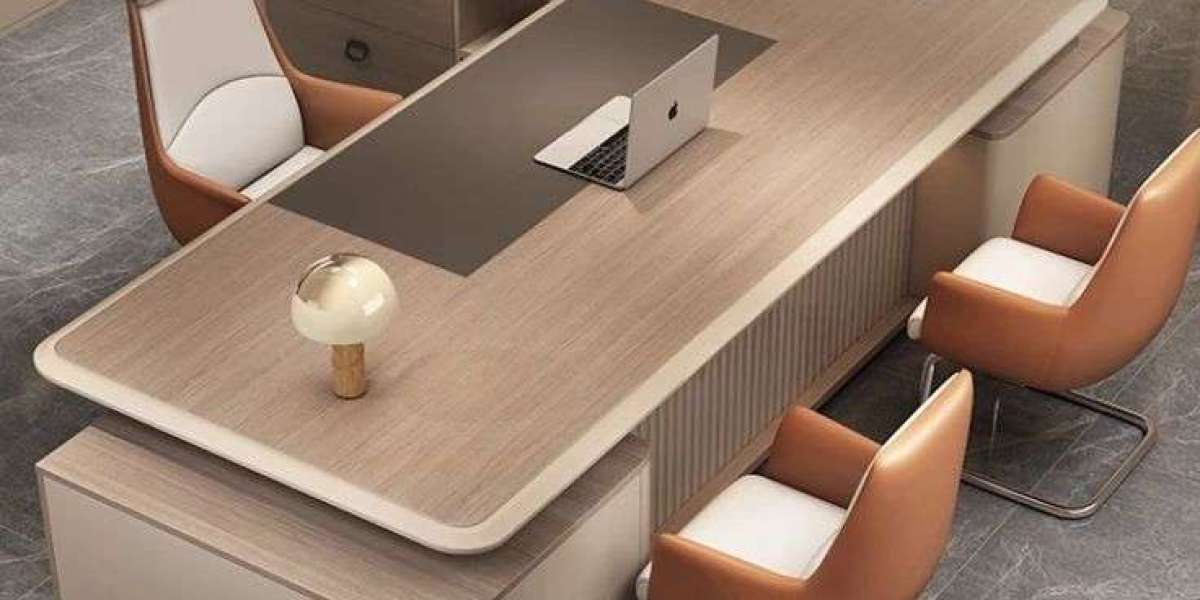

A suitable Office desk can become the foundation of a productive workplace. Employees need enough room to complete their daily responsibilities, organize equipment, manage documents, and maintain a comfortable working position. At the same time, businesses need furniture that fits the available floor area and supports a professional appearance. The right choice should therefore balance practicality, comfort, durability, and design. Whether a company is furnishing a new office, replacing outdated furniture, or reorganizing an existing workspace, thoughtful furniture selection can make the entire environment more useful and inviting.
Understanding the Purpose of Your Workspace
Before purchasing office furniture, businesses should first identify how each workspace will be used. Different employees perform different tasks, so they may not all require the same furniture arrangement. Someone who spends most of the day working on a computer may prioritize monitor space and cable organization. An employee who handles paperwork may need a wider surface for documents and files.
Managers may need additional room for meetings, while reception staff may require furniture that combines workspace with visitor-facing presentation. Understanding these differences helps businesses avoid choosing furniture based only on appearance.
The number of employees and the size of the room should also be considered. A large workstation may be comfortable, but it can create problems if several employees need to share a limited area. Measuring the room first makes it easier to select suitable dimensions and maintain comfortable walkways.
Choosing a Desk Style That Fits
Office furniture comes in many configurations, allowing businesses to choose according to their layout and working requirements. Straight desks are practical for standard workstations and can be positioned along walls or arranged in groups. Their simple shape makes them easy to incorporate into different office designs.
L-shaped furniture can provide a larger working area while making effective use of corners. This style can be helpful for professionals who need separate areas for computer work, writing, paperwork, or meetings. Corner configurations can also be useful when businesses want to maximize available floor space.
Executive desks generally offer more surface area and a stronger visual presence. They are often suitable for private offices and management spaces. Compact designs, meanwhile, can work well in smaller offices, home workspaces, and shared environments where space efficiency is a priority.
Creating a Comfortable Workstation
Comfort should be an important part of workplace planning. Employees who remain at their workstations for extended periods need furniture that supports a natural working position. Desk height, chair height, monitor placement, and legroom should work together rather than being considered separately.
There should be enough space underneath the desk for comfortable leg movement. The surface should also provide adequate room for essential technology without forcing employees to work too close to their monitors.
Adjustable furniture can provide additional flexibility. Height-adjustable designs allow employees to change their working position, while adjustable chairs can accommodate people of different heights. These features can make shared workstations more adaptable.
Making the Most of Limited Space
Efficient space management is important for businesses of every size. A well-designed office does not necessarily require a large floor area. Instead, furniture should be selected according to the dimensions and purpose of the room.
In compact offices, furniture with clean lines and practical proportions can prevent the space from feeling crowded. Corner configurations can make use of areas that might otherwise remain empty. Storage units can also be placed vertically to reduce the need for additional floor space.
Open-plan offices require a different approach. Workstations can be arranged in clusters to use space efficiently while maintaining clear pathways. Partitions can help create defined areas without completely isolating employees from the rest of the team.
Materials That Support Daily Use
The material of a workstation affects its appearance, maintenance, and durability. Laminated surfaces are widely used in commercial offices because they can provide a practical combination of durability and design flexibility. Wood-inspired finishes can create a warm appearance, while plain surfaces can provide a clean and contemporary look.
Metal frames are commonly used to provide structural support. A combination of a durable work surface and strong frame can create furniture suitable for frequent daily use.
Businesses should examine the construction quality before making a purchase. Stable legs, reliable fittings, strong joints, and well-finished surfaces can help furniture withstand regular workplace activity. Good construction can also reduce the likelihood of early repairs or replacement.
Organizing Equipment and Documents
An effective workstation should support organization. Employees often need access to stationery, files, documents, chargers, headphones, and other accessories. Without suitable storage, these items can quickly occupy valuable working space.
Drawers, pedestals, shelves, and filing units can provide convenient storage. Mobile storage can be particularly useful because it can be moved when the office layout changes.
Cable management should also be considered. Modern workstations often contain several electronic devices, and unmanaged cables can create visual clutter. Cable ports and management channels can keep wires arranged neatly and make the workspace easier to maintain.
Supporting a Professional Office Image
The appearance of workplace furniture can influence how employees and visitors perceive a business. A clean, coordinated office can communicate professionalism and attention to detail.
Furniture does not need to be expensive to look professional. Consistent finishes, appropriate proportions, and organized layouts can have a significant visual impact. Businesses can select furniture that complements flooring, wall colors, lighting, reception areas, and meeting spaces.
Using similar materials and finishes throughout the office can also create a stronger sense of continuity. This is especially useful for businesses that want different departments to share a consistent visual identity.
Planning for Different Types of Employees
Workstations should reflect the responsibilities of the people using them. Administrative employees may need extensive storage for paperwork. Designers and creative professionals may require larger surfaces for sketches, samples, or specialized equipment. Sales teams may benefit from flexible layouts that support both individual work and communication.
Managers may need additional space for meetings and documents, while employees working with multiple monitors may require greater surface depth. Understanding these requirements before purchasing furniture helps businesses create more personalized and functional work areas.
Shared workstations may benefit from adjustable features because different employees can use the same furniture at different times. Flexibility can be particularly useful in hybrid and collaborative working environments.
Combining Furniture With Office Technology
Technology is now central to many professional workplaces. Furniture should therefore be able to accommodate computers, monitors, phones, docking stations, charging equipment, and other devices.
Employees using multiple screens need sufficient width and depth to position their equipment properly. Laptop users may have different requirements and may benefit from monitor stands or docking stations.
Power access should also be considered during the planning stage. Workstations positioned close to appropriate electrical points can reduce cable lengths and make the overall setup easier to manage.
Good technology planning can make the workplace look cleaner while helping employees access the equipment they need without unnecessary movement.
Maintaining a Clean and Durable Workspace
Regular maintenance can help preserve office furniture. Dust and everyday marks should be cleaned using products appropriate for the surface material. Spills should be dealt with quickly to reduce the risk of staining or surface damage.
Furniture should also be moved carefully. Dragging heavy units across floors can damage both the furniture and flooring. Drawers and fittings should be inspected periodically to identify small problems before they become significant.
A clean and well-maintained workspace creates a better impression and can help furniture remain useful for longer. Businesses can therefore protect their investment through simple maintenance practices.
Thinking About Future Workplace Changes
A business may not have the same requirements several years from now. Employee numbers can increase, departments can move, and working styles can change. Furniture that offers flexibility can make these transitions easier.
Modular workstations are useful because they can often be rearranged according to new requirements. Mobile storage can also be moved between departments. Selecting adaptable furniture can reduce the cost and disruption associated with future office changes.
Businesses should also consider whether additional units will be available later. Choosing furniture from a range that can be expanded can make it easier to maintain a consistent appearance as the company grows.
Making a Sensible Furniture Investment
The cheapest option is not always the most economical choice. Businesses should consider durability, comfort, construction quality, functionality, and maintenance requirements alongside the initial purchase price.
A strong and practical workstation may provide value over many years, while poorly constructed furniture may require frequent repairs or replacement. Comparing specifications and considering long-term use can help businesses make more informed purchasing decisions.
It is also important to avoid buying furniture that provides features employees will never use. Practicality should remain at the center of the decision. The best furniture is the furniture that supports actual workplace requirements.
Designing a Workplace That Works Better
Good office planning brings together furniture, technology, storage, lighting, movement, and employee needs. A workstation should fit naturally into the room while providing enough space for everyday activities.
Businesses can improve workplace functionality by measuring their available area, identifying employee requirements, selecting appropriate configurations, and planning storage before purchasing furniture. This approach can reduce clutter and create a more organized environment.
A well-planned office can also support collaboration without sacrificing individual productivity. Furniture arrangements can define work zones, meeting areas, reception spaces, and shared facilities while maintaining a consistent professional appearance.
Conclusion
A productive workplace begins with furniture choices that support everyday activities. The right workstation can provide sufficient space, improve organization, accommodate technology, and complement the overall office design. Businesses should consider dimensions, materials, ergonomics, storage, layout, and future requirements before making their final decision. Modern desks and office cubicles can help create practical and coordinated work environments when selected according to the specific needs of employees and the available office space.