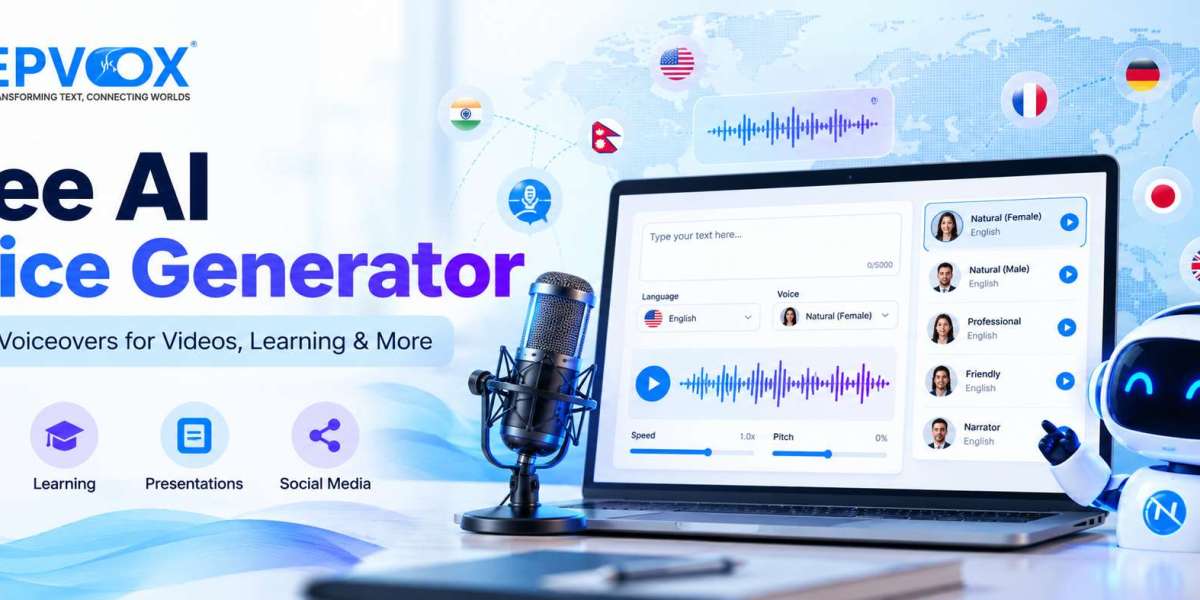

Voiceovers are widely used in videos, online lessons, product demonstrations, presentations, and social media content. They help explain information, guide viewers through a process, and add a spoken layer to visual material.
However, traditional voice recording can require a microphone, a quiet room, several takes, and audio editing. For creators who need narration regularly, these steps can slow down production.
A free AI voice generator offers another option. By converting written text into generated speech, it allows users to experiment with narration directly from a script. The best results come from choosing suitable voices, preparing clear text, and reviewing the audio before publishing.
What Is an AI Voice Generator?
An AI voice generator is a tool that uses artificial intelligence to create spoken audio from text. A user prepares a script, chooses an available voice, and generates a recording.
Depending on the platform, users may be able to adjust speech settings, choose different languages, and download the generated audio in supported formats.
AI voice generation is useful when a project needs narration but does not necessarily require a live recording. It is not a universal replacement for human voice actors: some projects depend on performance, emotional nuance, character acting, or a specific person's voice.
Why Are Creators Exploring Free AI Voice Generators?
Faster production workflows
Creators can begin with an existing script rather than arranging a recording session for every revision. If the text changes, they can edit the script and generate a new version.
Accessible experimentation
A free option can help beginners understand how text-to-speech works before committing to a paid plan. It provides an opportunity to test voice styles, prepare short samples, and assess whether generated audio suits the project.
Support for multilingual content
Creators serving audiences in different regions may need narration in more than one language. A platform offering multiple language options can make it easier to experiment with localised versions of scripts.
The quality and availability of each language should be evaluated separately. Multilingual support does not automatically guarantee accurate pronunciation for every word or dialect.
Flexible content formats
Generated speech can be used as part of a wider production workflow for tutorials, explainers, presentations, and narrated informational content.
Six Ways to Use AI-Generated Voiceovers
1. YouTube videos
Creators can prepare narration for tutorials, explainers, reviews, and informational videos. A script-first workflow can help organise the message before editing begins.
2. Educational resources
Teachers and course creators can experiment with spoken explanations, lesson introductions, and supplementary learning materials. Important educational content should be checked for accuracy before it is distributed.
3. Social media videos
Short voiceovers can communicate a message while supporting on-screen text and visuals. Captions are still important for accessibility and viewers who watch with sound turned off.
4. Product demonstrations
Businesses can create narration that explains how a product works, introduces features, or guides users through a process. Clear wording is more useful than complicated promotional language.
5. Presentations and internal training
Teams can add narration to presentations and training videos. Consistent terminology and a well-organised script help keep the material understandable.
6. Podcasts and narrated stories
AI speech can support introductions, announcements, short informational segments, and experimental narration. Whether it suits a complete podcast or audiobook depends on the quality, audience expectations, and the applicable usage rights.
How to Create a Voiceover with NepVox AI
NepVox AI is an online platform offering text-to-speech, speech-to-text, and text-to-image tools. Its text-to-speech pages provide language-specific voice options and describe supported voice controls.
To explore the platform, visit NepVox AI.
A typical text-to-speech workflow involves the following steps:
Prepare a script. Write the text you want spoken and check spelling, punctuation, and factual accuracy.
Choose the appropriate tool. Select a text-to-speech option and the language that fits your project.
Enter your text. Paste the prepared script into the input area.
Explore the available voices. Listen to samples where available and choose a voice suited to the intended audience.
Adjust supported settings. Review options such as speaking speed and pitch, where available.
Generate a sample. Listen to the output before producing a longer recording.
Download and edit. Use a supported output format and combine the audio with visuals or other production elements.
Review the current platform interface for availability, account requirements, free usage limits, and plan-specific features.
How to Choose the Right AI Voice Generator
A useful comparison should consider more than the number of available voices.
Language support: Confirm that the tool supports the language and type of content you need.
Pronunciation: Test proper nouns, specialist vocabulary, numbers, and unfamiliar expressions.
Voice selection: Consider whether the available voices suit the tone of your project.
Speech controls: Determine whether you can adjust the pace and other supported settings.
Audio downloads: Check which formats are offered and whether they suit your editing software.
Usage limits: Review text limits, generation allowances, and plan requirements before starting a large project.
Privacy and licensing: Understand how the platform handles submitted text and whether the generated audio can be used for your intended purpose.
A short practical test is often more informative than a feature list. Use the same representative script across the tools you are comparing, then evaluate the results consistently.
Tips for Better AI Voiceovers
Write for listening
Use clear sentences, natural phrasing, and a logical sequence. Written articles often need editing before they work well as spoken narration.
Test challenging passages
Names, abbreviations, numbers, and technical terms deserve extra attention. Ask a knowledgeable reviewer to check pronunciation where accuracy matters.
Balance narration with background music
If you add music, keep the voice understandable. Review the mix using headphones and ordinary speakers.
Check timing and captions
For video projects, make sure the narration aligns with the visuals and captions accurately represent the spoken words.
Review the complete output
Do not judge the recording only by its opening sentence. Listen to the full file and regenerate sections that contain errors or unnatural delivery.
Responsible Use of AI-Generated Voices
Use AI voices transparently and respect applicable terms, licensing requirements, and privacy obligations. Do not imitate a real person's voice in a misleading way or imply that someone endorsed a message when they did not.
For sensitive or high-impact information, check the script with a qualified person before publication. An engaging voice does not make inaccurate content trustworthy.
Conclusion
A free AI voice generator can be a practical starting point for creators who need narration for videos, lessons, presentations, and other digital content. The most effective workflow combines a clear script, a suitable voice, appropriate editing, and a final quality check.
Explore NepVox AI to learn about its content creation tools and test the available text-to-speech options for your next project.